
13 Free Social Scheduling Tool: Best Platforms to Schedule Posts Without Paying (2026 Guide)
 ·
20 Apr 2026
·
19 min read
·
20 Apr 2026
·
19 min read

Are you still switching between platforms just to make sure every post goes live on time?
For many teams, the issue is not creating content. It is managing when and where that content gets published. As soon as multiple channels are involved, manual posting becomes inconsistent, time-consuming, and difficult to scale.
This is where a free social scheduling tool becomes part of the workflow. It allows you to prepare content in advance, organize posts across platforms, and publish them automatically without needing to be online at specific times.
The appeal is clear. You get structure without committing to a paid plan. However, not all free tools offer the same value. Some are built for simple posting, while others support planning, analytics, and collaboration at a deeper level.
In this guide, we break down 13 free social scheduling tools based on what they actually offer, their real limitations, and which ones make sense depending on how your team works.
Table of contents:
-
What Is a Free Social Scheduling Tool?
-
What to Look for in a Free Social Scheduling Tool
-
13 Free Social Scheduling Tools for 2026
-
When to Upgrade from a Free Social Scheduling Tool
-
Conclusion
-
FAQs
What Is a Free Social Scheduling Tool?
A free social scheduling tool allows you to plan, organize, and publish social media content automatically without paying for a subscription. Instead of logging in to each platform and posting manually, you can prepare content in advance and assign it to specific dates and times.
At a basic level, the tool acts as a central dashboard. You connect your social accounts, create posts, and schedule them to go live across platforms. This removes the need to manage each channel separately and helps maintain a consistent posting schedule.
For most users, the value comes from structure. Content is no longer handled day by day. It is planned in batches, scheduled in advance, and visible in one place. This makes it easier to manage multiple platforms without relying on reminders or manual effort.
Free tools usually include core scheduling features but come with limits. These may involve caps on the number of posts, restricted access to analytics, or limited collaboration options. They are designed to help users get started, while more advanced workflows often require upgrading later.
What to Look for in a Free Social Scheduling Tool
Choosing a free social scheduling tool is less about finding the one with the most features and more about finding one that fits your workflow. The right tool should support how you plan content, not force you to adjust everything around its limitations.
Before selecting a tool, it helps to evaluate a few key areas that directly affect how effective it will be over time.
Supported Platforms
The first thing to check is which social platforms the tool supports. Most free tools allow you to connect a limited number of channels, but not all platforms are included in every plan.
If your team manages multiple networks such as LinkedIn, Instagram, and X, the tool should support all of them in one place. Otherwise, you may end up splitting your workflow across different tools, which reduces efficiency.
A good setup keeps everything centralized so you can plan and schedule content without switching between platforms.
Post Limits and Queue Size
Free plans often come with restrictions on how many posts you can schedule at a time or per month. These limits directly affect how far in advance you can plan your content.
Some tools allow only a small queue, which means you need to refill it frequently. Others offer more flexibility but still cap total posts over a period of time.
If your team plans content weekly or monthly, it is important to choose a tool that can support that timeframe without constant adjustments.
Analytics and Optimization
Basic analytics help you understand how your posts perform after they go live. Even simple metrics such as engagement or clicks can guide future content decisions.
Not all free tools provide the same level of insight. Some only show limited data, while others offer more detailed reporting.
When choosing a tool, consider whether the available data is enough to help you adjust posting times, formats, or content strategy over time.
Collaboration Capabilities
If more than one person is involved in managing social media, collaboration becomes part of the workflow.
Some free tools are designed for individual use and do not support multiple users or approval steps. This can create confusion when several people are responsible for content creation and publishing.
A tool that provides shared visibility, basic role assignment, or simple approval stages makes it easier for teams to stay aligned and avoid delays.
Free Social Scheduling Tool Comparison (What Actually Matters)
With so many options available, choosing a free social scheduling tool can quickly turn into guesswork. Most tools offer similar basic features, but the real difference shows up when you look at how they handle scale, visibility, and workflow.
Comparing tools based on features alone is not enough. What matters is how those features support your day-to-day execution and whether they hold up as your content volume grows.
Below is a simplified comparison based on the factors that actually impact your workflow:
|
Tool |
Post Limits |
Platforms |
Best Use Case |
|
~100 posts/month |
Multi-channel |
Teams planning to scale beyond basic scheduling |
|
|
Metricool |
~50 posts/month |
Multi-channel |
Users focused on analytics and performance tracking |
|
Zoho Social |
Unlimited |
Multi-channel (1 brand) |
High-volume scheduling for a single brand |
|
Buffer |
10 posts/channel |
Multi-channel |
Simple scheduling for individuals |
|
Later |
~5 posts/profile |
Multi-channel |
Visual content planning (Instagram, TikTok) |
|
Publer |
10 posts/account |
Multi-channel |
Lightweight scheduling with extra features |
|
Vista Social |
15 posts/profile |
Multi-channel |
Flexible tool for growing workflows |
|
Meta Business Suite |
Unlimited |
Facebook & Instagram |
Native scheduling within Meta platforms |
|
CoSchedule |
~15 posts |
Limited platforms |
Content calendar-focused workflows |
|
SocialOomph |
Unlimited (1 profile) |
Limited |
High-volume posting for a single channel |
|
Friends+Me |
~10 posts total |
Limited |
Basic queue-based scheduling |
|
Smart Post |
~15 posts |
Multi-channel |
Mobile-first scheduling |
|
Planable |
~50 posts |
Multi-channel |
Content collaboration and approval workflows |
13 Free Social Scheduling Tools for 2026
The comparison makes one thing clear: free tools solve different problems, and no single option fits every workflow.
Some tools are built for simplicity. Others focus on analytics, visual planning, or collaboration. The right choice depends on where your current bottleneck is, whether that is posting volume, multi-channel management, or team coordination.
Below is a breakdown of 13 free social scheduling tools based on what they actually offer, how their free plans work, and where they fit best as your workflow grows.
Octopost (Best for scaling beyond free)
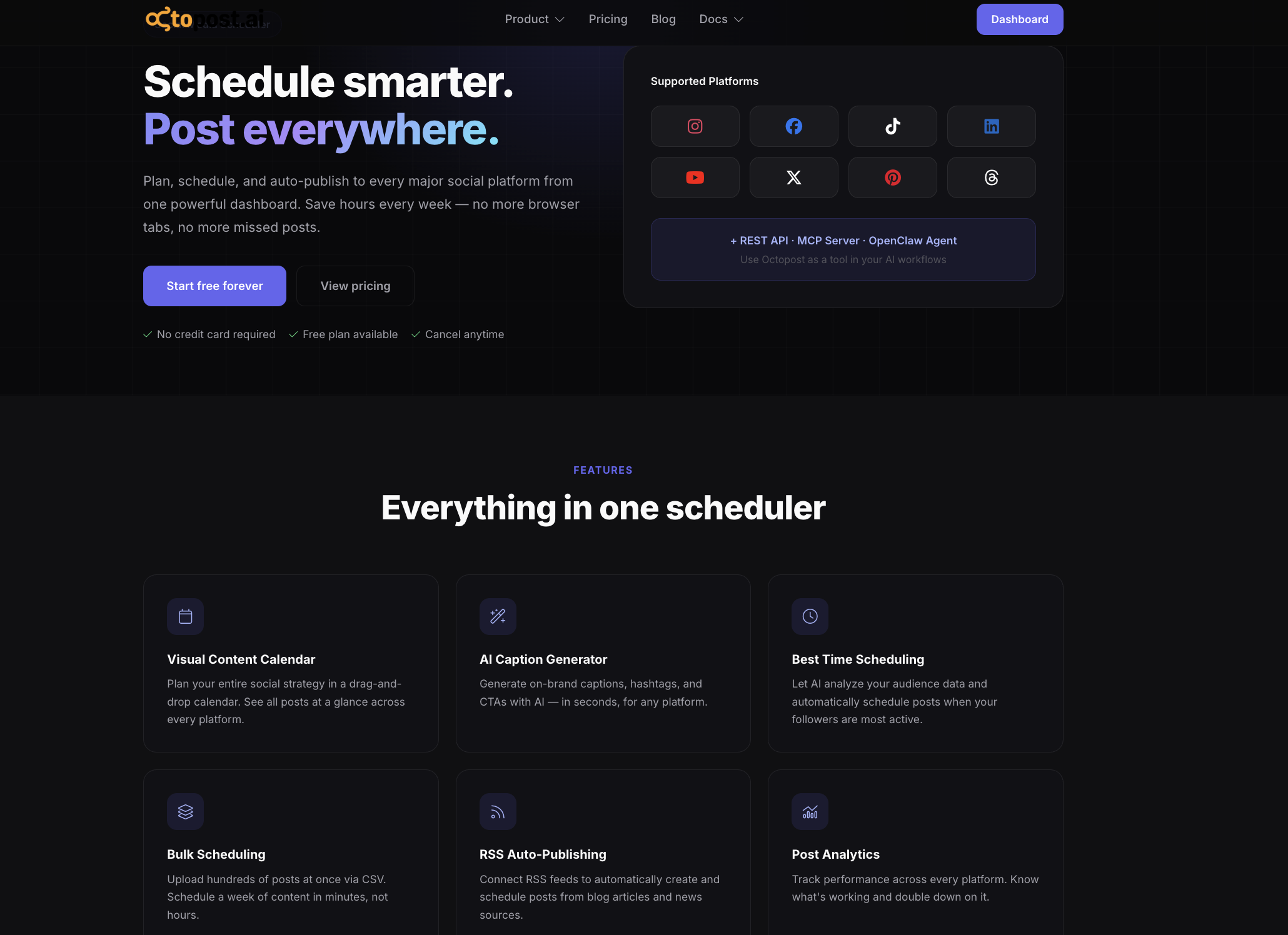
Octopost stands out as a free social scheduling tool that is designed with growth in mind. While many free tools focus only on basic posting, Octopost introduces structure early, which becomes valuable as content operations expand.
At the feature level, it supports a more organized workflow compared to typical entry-level schedulers:
-
Multi-channel scheduling in one place: Manage content across platforms like LinkedIn, X, and Facebook without switching between tools.
-
Campaign-based content organization: Instead of handling posts individually, content can be grouped by campaign, which helps maintain alignment across channels.
-
Visual content calendar: A centralized view of scheduled posts makes it easier to spot gaps, overlaps, and timing issues before publishing.
-
AI-assisted content creation: Generate captions and variations to speed up content production while keeping messaging consistent.
-
Built-in performance insights: Track how content performs across channels and use that data to refine future scheduling decisions.
The free plan gives enough flexibility to build a consistent posting workflow:
-
Up to 3 social accounts connected
-
Up to 100 scheduled posts per month
-
Automated publishing without manual posting
-
Basic analytics for selected channels
This setup works well for individuals or small teams that want to move away from manual posting. As content volume and team complexity increase, Octopost provides a clear path to scale into more advanced workflows without needing to switch platforms.
Read more: Social Media Calendar Template: Top Templates and Tips for 2026
Metricool

Metricool combines scheduling and analytics in a way that few free tools do. It is a strong option for teams that want to understand performance while planning content, instead of treating those as separate tasks.
The platform allows you to manage one brand across multiple channels and schedule content with enough flexibility for weekly or monthly planning. What sets it apart is the built-in analytics, which provide context for every post you schedule.
Key features include:
-
Multi-platform scheduling: Plan and publish content across platforms such as Instagram, Facebook, TikTok, and LinkedIn from one dashboard.
-
Integrated analytics dashboard: Access engagement data and historical performance to guide future content decisions.
-
Competitor tracking: Monitor a limited number of competitor profiles to understand how others perform in your space.
-
Best-time suggestions: Use data-driven recommendations to choose when posts should go live.
Free plan highlights:
-
Up to 50 scheduled posts per month
-
Manage 1 brand across multiple channels
-
Access to basic analytics and 3 months of historical data
Metricool works best for teams that want more visibility into performance early on. The main limitation is that it is built around a single brand, which can become restrictive when managing multiple projects.
Zoho Social

Zoho Social takes a different approach by removing one of the most common limitations in free tools: post caps. It allows unlimited scheduling, which makes it a strong option for teams that need to plan content far in advance without constantly refilling a queue.
The platform is designed around a clean calendar interface, making it easy to organize and adjust content as plans change.
Key features include:
-
Unlimited post scheduling: Plan content without worrying about monthly or queue limits.
-
Multi-channel support for one brand: Manage platforms such as Facebook, Instagram, LinkedIn, and X within a single workspace.
-
Content calendar and planning tools: Visualize your schedule and make adjustments without rebuilding your workflow.
-
Browser extension for quick posting: Share content directly while browsing without switching tools.
Free plan highlights:
-
1 brand with up to 6 connected channels
-
Unlimited scheduled posts
-
Basic analytics and reporting
Zoho Social works well for teams focused on a single brand that need high-volume scheduling. The limitation appears when more users or multiple brands are involved, as collaboration features are restricted.
Buffer

Buffer is one of the simplest ways to get started with a free social scheduling tool. It is built for ease of use, which makes it a good fit for individuals or small teams that want to maintain consistency without dealing with complex features.
The platform centers around a queue-based system. You create posts, add them to a queue, and let the tool publish them automatically based on predefined time slots.
Key features include:
-
Multi-channel scheduling: Connect platforms like Instagram, LinkedIn, Facebook, and X and manage them from one place.
-
Queue-based publishing: Set posting times once and let content flow automatically.
-
Basic analytics: Track engagement metrics to understand how posts perform.
-
Browser extension for quick scheduling: Add content to your queue directly from websites.
Free plan highlights:
-
Up to 3 social channels connected
-
10 scheduled posts per channel at a time
-
Single user access
Buffer works best for simple workflows where consistency is the main goal. As content volume grows or more contributors are involved, the limited queue size and lack of collaboration features can become restrictive.
Later

Later is built around a visual-first workflow, which makes it a strong option for brands that rely on design-heavy platforms. Instead of focusing only on scheduling, it helps teams see how content will look before it goes live.
The platform is especially useful for planning feeds where layout and visual consistency matter.
Key features include:
-
Visual content calendar: Drag and drop posts to plan how your feed will look across platforms.
-
Media library: Store and organize images and videos in one place for easier reuse.
-
Multi-platform scheduling: Manage Instagram, TikTok, Pinterest, LinkedIn, and Facebook from a single interface.
-
Link in bio tool: Create a landing page to drive traffic from social profiles.
Free plan highlights:
-
1 social set (multiple platforms grouped together)
-
Up to 5 posts per social profile
-
Visual planning tools included
Later works best for teams focused on visual storytelling. The main limitation is the low post cap, which requires frequent updates to maintain consistency.
Publer
Publer offers a balance between simplicity and functionality. It provides more flexibility than basic schedulers while still being easy to set up and use.
The platform is designed to streamline content creation and scheduling without adding unnecessary complexity.
Key features include:
-
Multi-platform scheduling: Manage content across major social networks from one dashboard.
-
Drafts and content storage: Save posts before scheduling and organize content for later use.
-
Link in bio feature: Create a simple landing page to support social traffic.
-
Basic media editing tools: Make quick adjustments to content without leaving the platform.
Free plan highlights:
-
Up to 3 social accounts connected
-
10 scheduled posts per account
-
Access to drafts and media library
Publer works well for users who need more than a basic scheduler but are not ready for a full-scale platform. Some features, such as advanced analytics and team workflows, are only available on paid plans.
Vista Social

Vista Social positions itself as a more scalable free option compared to many entry-level tools. It supports a wide range of platforms and offers features that help teams grow without switching tools immediately.
The platform is designed to handle both scheduling and content organization within a single workspace.
Key features include:
-
Broad platform support: Schedule content across platforms including LinkedIn, Instagram, Facebook, X, Reddit, and YouTube.
-
Centralized media library: Store and manage assets for easier planning and reuse.
-
Content calendar view: Visualize scheduled posts and adjust timing as needed.
-
Cross-platform publishing: Adapt and distribute content across different channels.
Free plan highlights:
-
Up to 3 social profiles connected
-
Up to 15 scheduled posts per profile
-
Single user access
Vista Social works well for users who want a tool that can grow with their needs. The limitation appears when collaboration or advanced analytics become necessary.
Meta Business Suite

Meta Business Suite is the native scheduling tool for Facebook and Instagram. It offers full access to publishing features on these platforms without requiring a paid plan.
Because it is built directly by Meta, it provides deeper integration than third-party tools.
Key features include:
-
Native scheduling for Facebook and Instagram: Publish feed posts, Stories, and Reels directly without API limitations.
-
Unified content calendar: Manage all Meta content from a single dashboard.
-
Access to platform-specific features: Use built-in tools such as post variations, stickers, and other native options.
-
Performance insights: Track engagement and audience data directly from Meta.
Free plan highlights:
-
Unlimited scheduling for Facebook and Instagram
-
Full access to native publishing features
-
No subscription required
Meta Business Suite is ideal for teams focused entirely on Facebook and Instagram. Its limitation is that it does not support other platforms, which makes it less suitable for multi-channel strategies.
CoSchedule

CoSchedule takes a different approach by combining social scheduling with a broader content calendar. It is designed for teams that want to manage social posts alongside blogs, emails, or campaigns in one timeline.
Instead of focusing only on publishing, it helps organize content across channels in a more structured way.
Key features include:
-
Drag-and-drop marketing calendar: Plan and reschedule content easily across different channels.
-
Best-time scheduling: Suggests optimal posting times based on audience behavior.
-
AI content assistant: Helps generate ideas and refine captions.
-
Unified content planning: Manage multiple types of content in one place.
Free plan highlights:
-
1 social profile connected
-
Up to 15 scheduled messages
-
Access to core calendar features
CoSchedule works best for solo marketers who want a single calendar to manage all content. The limitation is clear when managing multiple platforms or larger volumes.
SocialOomph
SocialOomph is a simple, function-first scheduler built for users who prioritize volume over interface. It focuses on getting posts published without adding layers of features.
The platform is minimal, but it handles high-frequency posting effectively.
Key features include:
-
Unlimited post scheduling: Queue a large number of posts without hitting a cap.
-
Queue-based publishing system: Automate posting at defined intervals.
-
Lightweight setup: Start scheduling quickly without complex configuration.
Free plan highlights:
-
1 social profile connected
-
Unlimited scheduled posts
-
Basic posting functionality only
SocialOomph works well for users who need to schedule a high volume of posts on a single platform. The trade-off is the lack of analytics, modern interface, and multi-channel support.
Friends+Me
Friends+Me is built around a queue-based system that keeps scheduling simple and predictable. It is designed for users who want a lightweight tool to maintain a steady posting rhythm.
The platform focuses on automation through predefined queues rather than manual scheduling for each post.
Key features include:
-
Queue-based scheduling: Add posts to queues and let them publish automatically over time.
-
Multi-platform support: Connect platforms such as LinkedIn, Facebook, and X.
-
Cross-device access: Available on desktop, browser, and mobile.
Free plan highlights:
-
2 content queues
-
Up to 5 posts per queue
-
Basic scheduling functionality
Friends+Me is suitable for low-frequency posting and simple workflows. The limited queue size makes it less practical for teams managing larger content volumes.
Smart Post
Smart Post is designed for users who manage social media primarily from their mobile devices. It offers a straightforward way to schedule content across platforms without relying on a desktop setup.
The platform focuses on accessibility and ease of use rather than advanced features.
Key features include:
-
Mobile-first scheduling: Plan and publish content directly from your phone.
-
Multi-platform support: Connect one account per platform and manage them in one place.
-
Visual calendar view: See scheduled posts and adjust timing easily.
-
Draft and media history: Store content and reuse it when needed.
Free plan highlights:
-
Up to 15 scheduled posts
-
1 account per platform
-
Basic planning and scheduling tools
Smart Post works well for creators or small teams that operate on mobile. It becomes limiting when advanced analytics or collaboration features are required.
Planable

Planable focuses on how content is reviewed and approved before it goes live. It is designed for teams that need visibility and coordination during the planning stage.
Instead of prioritizing automation, it improves how teams collaborate on content.
Key features include:
-
Visual content calendar and feed preview: See how posts will appear before publishing.
-
Collaboration and approval workflows: Comment, edit, and approve content within the platform.
-
Multi-channel planning: Organize posts across different platforms in one workspace.
-
Campaign-based organization: Group content by campaigns for better coordination.
Free plan highlights:
-
Limited number of posts (around 50)
-
Basic collaboration features
-
Access to planning views
Planable works best for teams that need structured approval workflows. Its limitation is that it focuses more on planning than on scaling publishing and performance tracking.
When to Upgrade from a Free Social Scheduling Tool
A free social scheduling tool works well in the early stages. It helps teams build consistency and move away from manual posting. Over time, the limits of these tools start to affect how efficiently content is planned and executed.
You will usually notice the need to upgrade when your workflow becomes harder to manage, even though the tool is already in place.
Common signals include:
-
You keep hitting post limits and cannot plan content far in advance
-
Multiple channels are active, but managing them feels fragmented
-
More people are involved, yet there is no clear collaboration flow
-
Content is scheduled, but not aligned with campaigns
-
Basic analytics are no longer enough to guide decisions
At this stage, the goal is not just to schedule posts. It is to manage content as part of a structured system.
Upgrading to a paid solution like Octopost allows teams to move beyond these constraints and build a scalable workflow:
-
Higher or unlimited scheduling capacity: Plan campaigns weeks or months ahead without worrying about caps.
-
Advanced multi-channel coordination: Manage multiple platforms with better control over timing and distribution.
-
Campaign-based content organization: Group posts by campaign to keep messaging aligned across channels.
-
Team collaboration and approval workflows: Assign roles, manage review stages, and keep stakeholders aligned.
-
Deeper analytics and performance insights: Go beyond basic engagement and understand how content contributes to real outcomes.
-
Automation features for efficiency: Reduce manual coordination by structuring how content moves from planning to publishing.
Upgrading is less about adding features and more about removing friction. Once your content operations reach a certain level of complexity, having a system in place becomes necessary to maintain consistency and scale effectively.
Conclusion
A free social scheduling tool is a practical starting point for teams that want to stay consistent without adding extra cost.
It helps organize content, automate publishing, and reduce the time spent on manual tasks. For individuals and small teams, this is often enough to maintain a steady presence across platforms.
As workflows grow, the focus shifts from simply scheduling posts to managing how content supports campaigns and business goals. At that point, the limitations of free tools become more visible, and a more structured system is needed.
The right approach is to start simple, build consistency, and then scale with a tool that supports how your team actually works.
FAQs
What is the best free social scheduling tool?
The best option depends on your needs. Tools like Buffer are suitable for simple workflows, while platforms like Octopost provide a clearer path to scale as content operations grow.
Can I manage multiple platforms with a free social scheduling tool?
Yes, many tools support multiple platforms. However, free plans often limit the number of connected accounts, which may require upgrading as your channels increase.
Are free social scheduling tools enough for teams?
They are useful for small teams or individual users. As soon as collaboration, campaign management, or advanced analytics are needed, free tools often become restrictive.
How many posts can I schedule for free?
This depends on the tool. Some limit the number of scheduled posts per channel, while others cap total posts per month or allow unlimited scheduling for a single brand.
Related Articles

9+ Best Social Media Posting Manager Platforms for Teams in 2026
·
29 May 2026
·
22 min read

9+ Best Apps to Schedule Social Media Posts for Smarter Team Workflows in 2026
·
25 May 2026
·
16 min read

10+ Social Media Management Tools: Which One Actually Fits Your Workflow in 2026
·
23 May 2026
·
22 min read