
Social Media Calendar Template: Top Templates and Tips for 2026
 ·
17 Apr 2026
·
18 min read
·
17 Apr 2026
·
18 min read

Why do so many teams have a content plan but still struggle to stay consistent on social media?
A social media calendar template often looks like a simple tool, yet it solves one of the most common execution gaps. Teams know what they want to post, but without a clear structure, content gets delayed, repeated, or disconnected from campaigns.
The issue is not a lack of ideas. It is the absence of a system that organizes when, where, and how content goes live across channels. Without that structure, even strong content fails to build momentum.
Using the right social media calendar template changes how teams operate. It creates visibility across posts, aligns content with campaigns, and makes it easier to plan ahead instead of reacting day by day.
Table of contents:
-
What is a Social Media Calendar Template?
-
Must-Have Components of a High-Converting Template
-
Best Social Media Calendar Templates for 2026
-
How to Customize Your Template for Maximum Reach
-
Conclusion
-
Social Media Content Calendar FAQs
1. What is a Social Media Calendar Template?
A social media calendar template is a structured way to plan and organize content across platforms with clear timing and ownership. Instead of managing posts in separate documents or relying on memory, teams use a single view to track what is going live and when.
The template works as a timeline for content. Each post is assigned to a date, a channel, and a specific purpose. This makes it easier to see how content is distributed, where gaps appear, and which channels are being overlooked.
What makes a template effective is its structure. It goes beyond listing ideas and connects each post to a campaign, a goal, or a stage in the content flow. This creates a repeatable process that teams can follow instead of rebuilding plans from scratch every time.
For teams, the template becomes a shared reference point. Everyone involved in content creation can see what is planned, what needs review, and what has already been published. This reduces confusion and keeps execution aligned with the original plan.
Over time, the template supports a more consistent workflow where content is planned in advance, reviewed with context, and published with clear intent across channels.
2. Must-Have Components of a High-Converting Template
A social media calendar template only works when it helps teams move from planning to execution without confusion. When key components are missing, the calendar turns into a static list that no one follows after a few days.
A high-converting template focuses on clarity, alignment, and usability. Each field should serve a purpose and make it easier to plan, review, and publish content in a consistent way.
Here are the components that matter most:
-
Clear scheduling fields (Date, Time, Platform): Every post needs a defined time and place. Without this, content gets delayed or published randomly, which breaks consistency across channels.
-
Content details (Topic, Format, Caption): The template should capture what the post is about and how it will be presented. This helps maintain a consistent message and avoids repeating similar content.
-
Campaign alignment (Campaign name or theme): Each post should connect to a broader campaign or goal. This keeps content focused and ensures that every post contributes to a larger objective instead of standing alone.
-
Ownership and responsibility (Assigned owner): When multiple people are involved, it should be clear who is responsible for each post. This reduces delays and avoids last-minute confusion.
-
Workflow status (Draft, Review, Scheduled, Published): A simple status system helps teams track progress and understand where each piece of content stands in the process.
-
Performance tracking (Optional KPIs or notes): Adding space for results or insights allows teams to learn from previous posts and improve future planning without relying on memory.
When these components are in place, the template becomes more than a planning tool. It supports a workflow where content is organized, reviewed, and delivered with a clear structure, helping teams stay consistent and aligned across campaigns.
3. Best Social Media Calendar Templates for 2026
Choosing the right social media calendar template is the defining factor between a chaotic feed and a high-performing brand. A professional planning framework serves as the command center for your entire marketing team, ensuring every piece of content aligns with your overarching business goals. In 2026, industry leaders are moving away from manual data entry toward systems that prioritize workflow automation and strategic clarity.
To help you find the perfect fit, we have categorized the top solutions based on team size and operational needs. While traditional spreadsheets still hold value for beginners, the modern landscape demands a more integrated approach to handle the speed of social media today.
The Octopost AI Smart Calendar (Top Choice for 2026)

Octopost represents the next generation of content management by transforming a static planning document into a proactive execution engine. It stands as the premier choice for marketers who want to reclaim their time and focus on growth strategy rather than the tedious manual labor of filling out cells in a spreadsheet.
AI-Driven Scheduling and Predictive Posting
Octopost eliminates the guesswork involved in identifying the best times to post. By analyzing real-time engagement data across your specific audience segments, the platform automatically suggests high-traffic slots for LinkedIn, Instagram, TikTok, and X. You simply drop your content into the calendar, and the system ensures it reaches the maximum number of eyes without you ever touching a time-zone converter.
One-Click Multi-Channel Content Generation
The standout feature of Octopost is its ability to turn a single concept into a full-scale multi-channel campaign instantly. Leveraging built-in AI post generators, you can transform a long-form blog URL into punchy captions for Facebook, professional insights for LinkedIn, and short-form scripts for Reels. This allows you to maintain a dominant presence across every platform with a fraction of the traditional writing effort.
Visual Drag-and-Drop Workflow Management
The interface offers a highly intuitive drag-and-drop experience that makes rescheduling as simple as moving a tile. You can manage the entire content lifecycle from "Ideation" to "Live" within a single view. For larger agencies and marketing departments, the integrated approval system removes the need for messy email chains, allowing managers to greenlight posts directly on the calendar.
Real-Time Performance Integration
Unlike static templates that require manual reporting, Octopost bridges the gap between planning and analytics. Once a post goes live, engagement metrics such as clicks, shares, and conversion rates feed directly back into your calendar view. This creates a continuous feedback loop, letting you see exactly which content pillars are driving revenue and which need adjustment for the following month.
Octopost combines the structural brilliance of expert templates with advanced automation technology, providing a seamless transition from planning to massive social media impact.
Google Sheets & Excel Social Media Templates
Google Sheets has come a long way from being just a boring grid of numbers. With the addition of dropdown lists, Sheets is genuinely growing on many marketers as a powerful organization and planning tool. It’s no longer just a fallback; it’s a great social media planning calendar in its own right for those who love a "DIY" approach.

One of the best parts about using this format is the ability to use specific custom colors for your dropdown options. If you’re a creative who wants your content calendar to be as "pretty" as it is functional, this is a huge win. You can color-code your post status, platforms, or content pillars to get a clear, aesthetic bird’s-eye view of your month at a glance.
This free spreadsheet format is one of the most customizable options available for marketers starting out. It’s incredibly practical for storing entire posts, long-form captions, and hashtag groups directly in the cells. This keeps all your copy and links in one accessible place for the whole team to review.
However, while a spreadsheet is a fantastic place to brainstorm, it still requires you to manually move everything over to your social channels when it's time to go live. For those ready to bridge the gap between "pretty planning" and "automatic execution," transferring these spreadsheet ideas into Octopost is the logical next step to eliminate the manual copy-paste grind.
Notion & Airtable Content Calendars
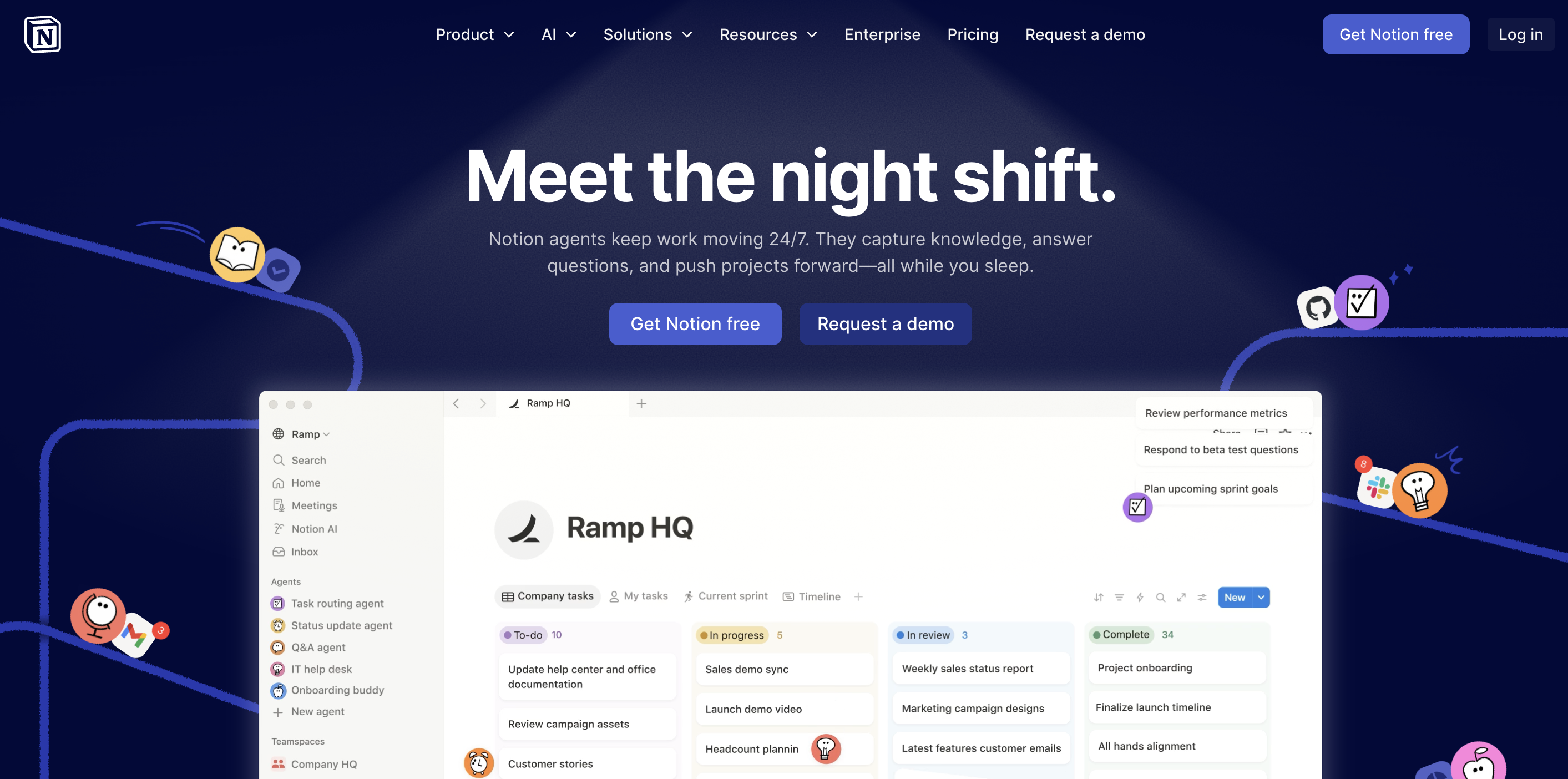
For teams that crave a more structured, database-driven approach, Notion and Airtable have become popular choices for building high-level content calendars. These tools move away from the flat rows of a spreadsheet and offer a more dynamic way to visualize your strategy, allowing you to flip between a classic calendar view, a Kanban board, or a detailed gallery of your social media assets.
Relational Databases for Complex Workflows
The real draw here is the ability to link different types of data together. You can create a database for your "Content Pillars" and link them directly to individual social posts, or connect a "Creator Database" to specific tasks. This level of organization is ideal for larger marketing departments that need to track not just the post itself, but the entire production pipeline behind it.
Custom Views and Aesthetic Organization
Like the dropdowns in Google Sheets, these platforms offer deep customization through tags and status properties. You can create "Gallery Views" to see your Instagram grid layout before it goes live, or "Board Views" to move a post from "Draft" to "Ready for Review." It’s a very tactile, visual way to manage a busy content schedule, making it easy to spot gaps in your posting frequency.
The "Connectivity Gap"
The challenge with these tools remains the disconnect between the plan and the platform. While they are world-class for project management, they don't natively "speak" to LinkedIn or Instagram. You can spend hours perfecting a database in Airtable, but you still have to manually handle the publishing.
This is exactly where Octopost steps in. Think of Octopost as taking the organizational depth of a database and adding a "Publish" engine to it. You get all the structural benefits of a high-level calendar with the added power of AI-assisted writing and automated distribution, so your beautiful plan actually makes it to your audience's feed.
Canva Visual Calendar Template

The Canva visual calendar template is designed for teams that prioritize how content looks as much as how it is scheduled. It provides a layout where posts are arranged visually, making it easier to review design consistency, branding, and overall content flow before publishing.
Unlike spreadsheet-based templates, Canva focuses on presentation. This makes it useful for teams working with image-heavy platforms or campaigns where visual identity plays a key role.
Key strengths of this template include:
-
Visual-first layout: Posts are displayed in a way that reflects how they will appear on social feeds, helping teams review aesthetics and balance across content.
-
Easy drag-and-drop editing: Content blocks can be moved, adjusted, or replaced quickly without rebuilding the entire calendar.
-
Pre-designed template options: Ready-made layouts help teams get started faster without needing to design a calendar structure from scratch.
-
Suitable for content previews and presentations: The visual format makes it easier to present content plans to stakeholders or clients.
At the same time, this type of template works best at the planning and review stage. It does not provide built-in scheduling or automation, so teams still need to move content into a publishing tool to go live.
For teams that want a clearer view of how their content will look before it is published, a visual template like Canva can complement more structured scheduling workflows.
4. How to Choose the Perfect Social Media Calendar Template
Choosing a social media calendar template starts with practicality. If your team does not use it consistently, the design or structure does not matter. The template should fit how your team already works while adding just enough structure to keep content organized and on track.
A good template does not force a new workflow overnight. It connects with existing habits, whether your team plans weekly content, runs campaign-based calendars, or manages multiple channels at once. As your strategy evolves and content volume increases, the template should scale with you and make planning clearer instead of more complicated.
Evaluate your team size and workflow needs
The level of detail in your template should match the way your team operates.
A solo marketer planning a few posts per week does not need the same structure as a large team coordinating multiple campaigns across regions. When the template is too complex, it slows people down. When it is too simple, it cannot support growth.
In practice, teams tend to follow this pattern:
|
Team size |
Key requirements |
|
Individual creators |
Simple planning with minimal setup and clear visibility |
|
Small teams (2–5) |
Shared calendar access and basic status tracking |
|
Mid-sized teams (6–15) |
Defined roles, content ownership, and review stages |
|
Large organizations (15+) |
Advanced permissions, structured workflows, and cross-team coordination |
Consider platform-specific requirements
Each social platform has its own format, tone, and content expectations. A social media calendar template should allow teams to adapt content for each channel instead of copying the same post across all platforms.
For example, LinkedIn content may require longer captions and a professional tone, while short-form platforms focus more on visuals and concise messaging. The template should support these differences by allowing platform-specific fields such as caption variations, formats, or media types.
When everything is visible in one calendar, teams can adjust content per channel while still keeping a clear overview of the entire campaign.
Assess collaboration and approval features
As soon as more than one person is involved, collaboration becomes part of the workflow. A template should reflect how content moves from idea to publication, including review and approval steps.
Simple workflows may only require a draft and a final check. Larger teams often need multiple review stages, especially when content involves compliance, brand guidelines, or cross-functional input.
Useful elements include:
-
Clear content ownership so each post has a responsible person
-
Status tracking to show whether content is in draft, review, or ready to publish
-
Space for comments or feedback to avoid separate communication threads
When these elements are missing, feedback gets lost, approvals take longer, and campaigns can be delayed. A template that supports collaboration helps keep content moving without adding unnecessary friction.
A well-chosen social media calendar template aligns with how your team works today and adapts as your workflow grows. It should make planning easier, keep everyone aligned, and support consistent execution across channels.
5. How to Customize Your Template for Maximum Reach
A template only works when it reflects how your team actually plans and executes content. Without customization, even a well-designed social media calendar template becomes a static file that teams stop using after a few weeks.
Customization turns the template into a working system. It connects content planning with campaigns, defines how teams collaborate, and makes performance easier to track over time.
The process usually starts with structure, then moves into scheduling, workflow, and performance tracking.
Define your content pillars and themes

Content pillars act as the foundation of your calendar. They define what your team talks about and how content supports business goals.
For most B2B teams, content tends to fall into a few consistent categories:
-
Industry insights and thought leadership
-
Product updates and feature education
-
Company culture and internal highlights
-
Customer success stories and case studies
Setting these pillars early helps balance content and prevents the calendar from becoming overly promotional or unfocused. It also makes it easier to plan content in batches without repeating the same message.
Map out your posting schedule
A clear schedule helps maintain visibility without overwhelming your team.
Instead of guessing when to post, use past performance data to identify time slots that consistently drive engagement. This becomes more important when managing multiple platforms or audiences across different time zones.
Consistency matters more than volume. A predictable schedule builds audience expectations and keeps your content visible without forcing your team into constant production.
Build team workflows and approvals
As content volume grows, coordination becomes a bigger challenge than creation.
A customized template should reflect how content moves from idea to publication:
-
Define who is responsible for drafting, designing, and publishing
-
Set clear stages such as draft, review, and approved
-
Establish simple approval flows to avoid delays
Without this structure, content can get stuck in review or go live without proper checks, which affects both speed and quality.
Create content categories and tags
Tags add structure to your calendar and make it easier to manage content at scale.
Common tagging systems include:
-
Format: video, image, carousel
-
Campaign: product launch, event, promotion
-
Audience: decision-makers, users, industry segments
With consistent tagging, teams can filter content, analyze patterns, and ensure that all key topics and audiences are covered.
Set up performance tracking
A template becomes more valuable when it connects planning with results.
Adding simple performance fields allows teams to track:
-
Engagement metrics such as likes, comments, and shares
-
Traffic metrics such as clicks and website visits
-
Conversion metrics such as leads or sign-ups
When performance data sits alongside planned content, teams can quickly see what works and adjust future scheduling decisions without relying on guesswork.
6. Optimal Social Media Posting Schedule by Platform
Posting at the right time can significantly affect how content performs. Even strong content can be overlooked if it goes live when your audience is inactive.
Each platform operates differently, with its own usage patterns and algorithm preferences. A single posting schedule does not work across all channels, which is why teams need a baseline for each platform and then adjust based on their own data.
The table below provides a practical starting point:
|
Platform |
Recommended frequency |
Optimal timing |
Content focus |
|
|
3–5 times weekly |
Tuesday–Thursday mornings |
Professional insights, company updates |
|
|
3–7 times weekly |
Mid-morning or early evening |
Visual storytelling, brand content |
|
X (Twitter) |
2–5 times daily |
Commutes and lunch breaks |
Real-time updates, conversations |
|
TikTok |
1–3 times daily |
Late afternoon to evening |
Trends, short-form content |
|
|
1–3 times daily |
Evenings and weekends |
Inspiration, discovery content |
Platform-specific considerations
-
LinkedIn works best during business hours, especially mid-week when professional activity peaks. Posting outside these windows often results in lower reach.
-
Instagram and Facebook benefit from consistent posting. Frequency supports visibility, but content quality still drives engagement. Daily Stories or lighter content formats help maintain presence without overwhelming the feed.
-
X (Twitter) is driven by real-time activity. Posting multiple times a day increases visibility because content moves quickly through the feed.
-
TikTok rewards consistency and engagement signals. Regular posting combined with strong early interaction improves reach.
-
Pinterest behaves more like a search engine. Content remains relevant for longer, so posting during planning periods such as evenings or weekends aligns with user behavior.
A fixed schedule provides a baseline, but performance improves when teams test and adjust over time. The goal is to build a rhythm that matches both audience behavior and your team’s capacity, so consistency can be maintained without sacrificing quality.
7. Conclusion
A social media calendar template gives teams a clear way to plan and deliver content without relying on last-minute decisions.
Most teams already have ideas, campaigns, and content ready. The challenge is making sure everything is published at the right time, on the right platform, and in a way that supports a larger goal. A structured template helps close that gap by turning scattered tasks into a repeatable process.
As content volume grows, the role of the template becomes more important. It keeps teams aligned, reduces confusion, and makes it easier to connect daily posting with campaign performance.
The format you choose can stay simple at the beginning. What matters is consistency. Once the workflow is in place, the template becomes the foundation for scaling content across channels without losing control.
8. Social Media Content Calendar FAQs
What is the best social media calendar template for teams?
The best social media calendar template depends on how your team works. Small teams often benefit from simple formats like spreadsheets or visual calendars that are easy to maintain. Larger teams usually need templates that include campaign tracking, ownership, and approval stages to support collaboration.
How far in advance should I plan my social media calendar?
Most teams plan content one to four weeks in advance. This gives enough structure to stay consistent while leaving room for changes. For larger campaigns or product launches, planning may extend to one or two months to ensure all content is aligned.
How often should I update my social media calendar template?
A calendar should be reviewed at least once a week. Regular updates help adjust content based on performance, campaign changes, or new priorities. Without updates, the template quickly becomes outdated and less useful.
Can a social media calendar template improve performance?
Yes, a well-structured social media calendar template improves performance by making content more consistent and aligned with campaigns. When posts are planned and tracked in one place, teams can identify what works, adjust faster, and avoid repeating the same mistakes.
Related Articles

Free Social Media Posting Calendar Templates for Smarter Content Planning
·
27 May 2026
·
15 min read

Steal These 7 Social Media Posting Calendar Templates (And Actually Stick to Them in 2026)
·
04 May 2026
·
18 min read
Steal These 7 Social Media Posting Calendar Templates (And Actually Stick to Them in 2026)
·
04 May 2026
·
18 min read